Multi-Frame 360 Generation: The Easy Way to Create Product Views

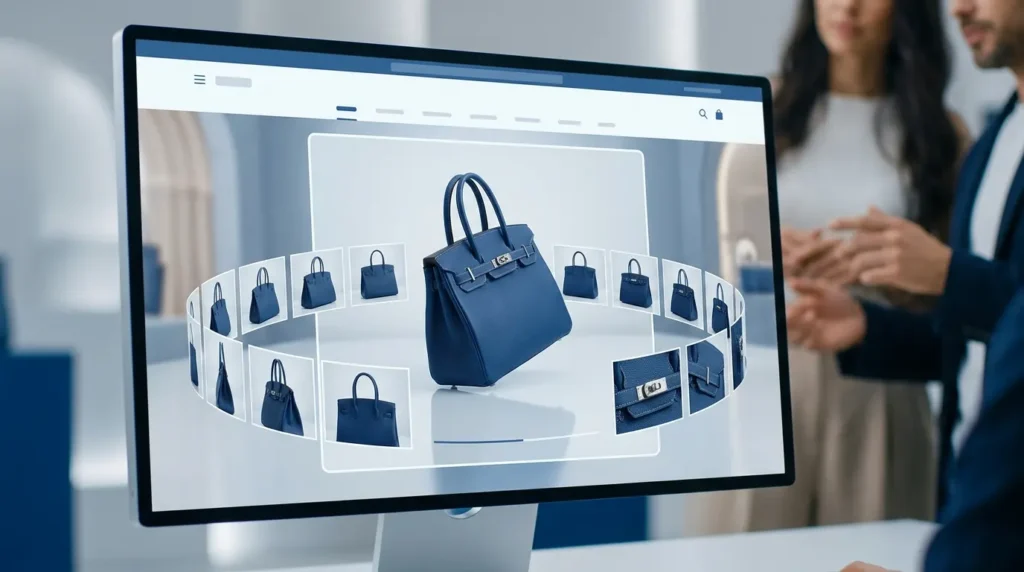
Multi-Frame 360 Generation uses artificial intelligence to transform a single product image or a small set of product images into smooth, interactive product views. Instead of relying on expensive 360-degree photography equipment, ecommerce brands can generate realistic product rotations that improve buyer confidence, enhance customer engagement, and create immersive shopping experiences across websites, marketplaces, and social media.
Key Takeaways
- Multi-Frame 360 Generation creates interactive product views using AI.
- Customers can explore products from multiple angles before purchasing.
- AI eliminates the need for complex 360-degree photography setups.
- Interactive product views improve buyer confidence and engagement.
- Ecommerce brands can scale product visualization faster and at a lower cost.
Why Interactive Product Experiences Matter More Than Ever
Online shopping continues to evolve, but one challenge has remained the same. Customers cannot physically hold a product, rotate it, or inspect every detail before making a purchasing decision. Instead, they rely entirely on the visuals provided by the seller.
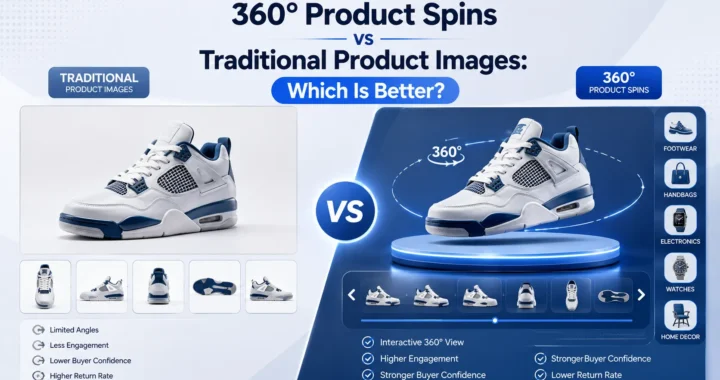
Traditional product photography helps communicate product quality, but even a gallery of high-quality images has limitations. A front view, side profile, and close-up photographs still leave many questions unanswered. Customers often want to understand the complete shape, proportions, materials, and design details before they feel confident enough to buy.
This growing expectation has made interactive product experiences one of the most valuable improvements modern ecommerce brands can offer.
Why Static Product Images Are Losing Their Advantage
Professional product photography remains essential for ecommerce, but static images can only show a limited number of perspectives.
Shoppers frequently switch between multiple images while trying to imagine how a product looks from angles that are not displayed. This creates unnecessary uncertainty throughout the buying journey.
Common customer questions include:
- What does the back look like?
- How deep is the product?
- How does it appear from different angles?
- What is the overall shape?
- Does the finish remain consistent throughout the product?
When customers cannot answer these questions themselves, many hesitate before purchasing. Others leave the website entirely in search of stores offering better product visualization.
Interactive product views solve this problem by allowing shoppers to explore products naturally instead of relying on a fixed collection of photographs.
What Is Multi-Frame 360 Generation?
Multi-Frame 360 Generation is an AI-powered technology that creates realistic interactive product rotations from a single product image or a limited number of source images.
Instead of photographing products dozens of times using specialized turntables and camera rigs, artificial intelligence generates the additional viewing angles required to build a complete rotational experience.
The AI analyzes important visual information such as:
- Product geometry
- Shape
- Perspective
- Surface details
- Lighting
- Shadows
- Colors
- Materials
Using this understanding, it generates intermediate frames that create smooth transitions between viewing angles.
The result is an interactive product experience that closely resembles rotating a physical product in a retail store.
Why Multi-Frame 360 Generation Improves Ecommerce
Interactive shopping experiences help customers feel more confident because they provide greater transparency before purchase.
Rather than relying on carefully selected marketing images, shoppers gain control over how they inspect products.
They can rotate products naturally to explore important details from multiple perspectives.
This additional interaction often leads to:
- Better product understanding
- Greater buyer confidence
- Higher customer engagement
- Longer product page sessions
- Reduced purchase uncertainty
- Improved shopping experiences
Instead of simply viewing products, customers actively explore them. This creates a stronger connection between shoppers and products before purchasing.
Introducing the FRAME Framework™
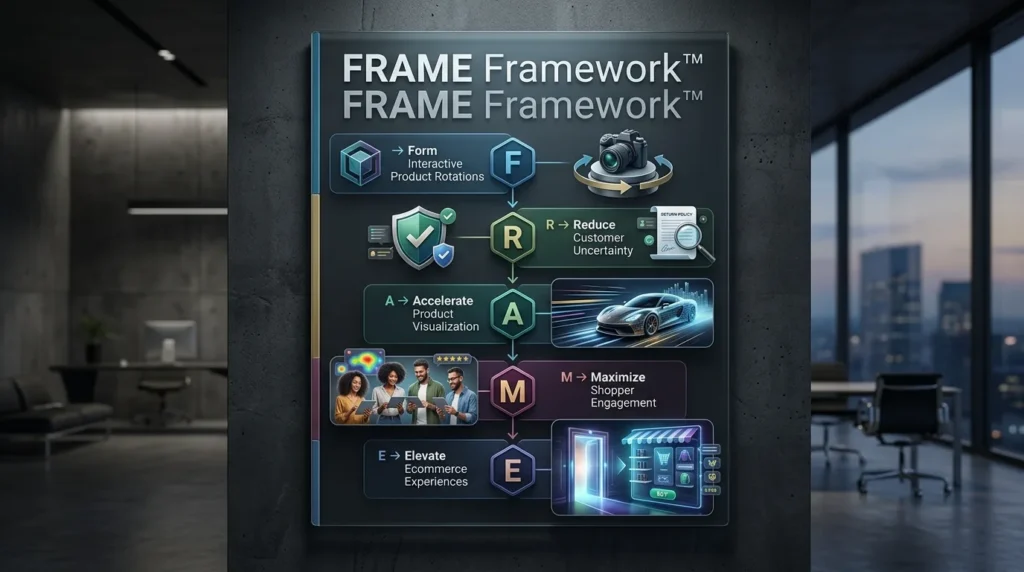
At LovPics, we believe interactive product visualization should do more than display additional images. It should create a richer shopping experience that helps customers make informed purchasing decisions while allowing ecommerce brands to scale visual content efficiently.
F – Form Interactive Product Rotations
Generate smooth product rotations from standard product images without requiring specialized photography equipment or complicated production workflows.
R – Reduce Customer Uncertainty
Allow shoppers to inspect products from every angle before purchasing, helping eliminate questions that static product images cannot answer.
A – Accelerate Product Visualization
Produce interactive product experiences much faster than traditional 360-degree photography, making advanced visualization accessible across larger product catalogs.
M – Maximize Shopper Engagement
Encourage customers to spend more time exploring products through interactive experiences that improve understanding and increase confidence.
E – Elevate Ecommerce Experiences
Create immersive product pages that strengthen buyer trust, improve product presentation, and help ecommerce brands differentiate themselves from competitors.
How Multi-Frame 360 Generation Works
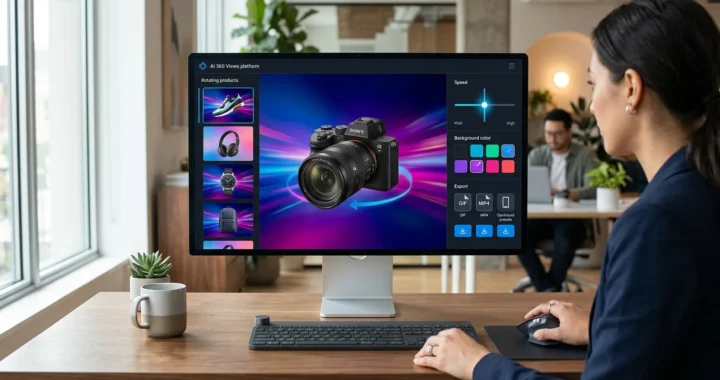
The workflow begins with a product image uploaded into the LovPics platform.
Artificial intelligence studies the product’s structure, dimensions, textures, lighting conditions, and visible design characteristics. Rather than simply duplicating existing images, the AI predicts how the product would naturally appear from additional viewing angles.
The system generates multiple intermediate frames that bridge the gaps between the original perspectives, producing a smooth rotational sequence that feels realistic and visually consistent.
These generated frames can then be exported as:
- Interactive 360 product viewers
- Product rotation videos
- Animated GIFs
- Marketplace media assets
- Ecommerce product page content
- Social media marketing visuals
The entire workflow dramatically reduces the production effort traditionally required for professional 360-degree product visualization.
Why AI Changes Traditional 360 Photography
Traditional 360-degree photography requires specialized turntables, camera rigs, controlled lighting environments, and dozens of carefully captured photographs for every product.
After photography, teams must edit, organize, align, and combine these images before creating the final interactive viewer.
This process delivers excellent results, but it is expensive and difficult to scale across large product catalogs.
Multi-Frame 360 Generation changes this completely.
Instead of capturing every individual angle manually, AI intelligently creates the missing perspectives while maintaining realistic lighting, accurate proportions, and consistent product appearance.
As a result, ecommerce brands can deliver immersive shopping experiences much faster while significantly reducing production costs and operational complexity.
Real World Applications of Multi-Frame 360 Generation
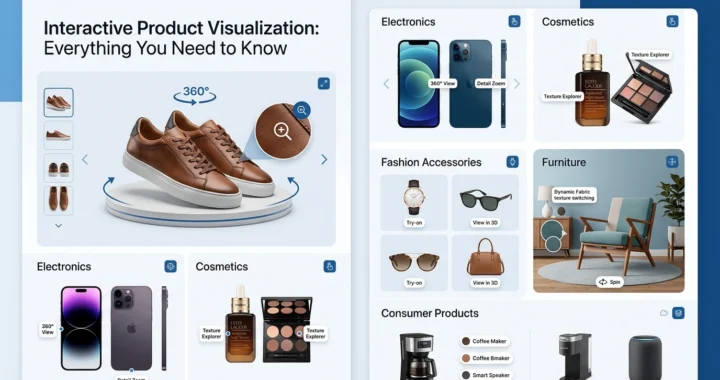
Interactive product visualization is becoming a competitive advantage for ecommerce businesses. Customers increasingly expect to inspect products thoroughly before purchasing, especially when buying online. Multi-Frame 360 Generation enables brands to deliver richer product experiences across multiple industries without investing in traditional 360-degree photography equipment.
Fashion and Apparel
Fashion shoppers want to see products from every angle before making a purchase. A single front-facing image rarely provides enough information to evaluate the overall design, stitching, fit, or styling details. Multi-Frame 360 Generation allows brands to create interactive views for clothing, footwear, handbags, watches, and accessories, helping customers explore products more naturally before ordering.
Read More Articles On AI 360 & Interactive Media
Consumer Electronics
Electronic devices often contain important design elements such as ports, buttons, displays, speakers, and connectors. Static images frequently overlook these details, leaving customers with unanswered questions. Interactive product views allow buyers to rotate products and inspect every side, creating greater confidence before completing a purchase.
Furniture and Home Decor
Furniture purchases typically involve higher spending, making buyer confidence even more important. Customers want to examine textures, finishes, dimensions, and craftsmanship before investing in larger products. Multi-Frame 360 Generation provides an immersive viewing experience that helps shoppers better understand products without visiting a physical showroom.
Beauty and Luxury Products
Packaging plays an important role in premium beauty and luxury products. Interactive product rotations allow customers to appreciate bottles, containers, labels, finishes, and branding details from every perspective, strengthening product presentation and enhancing perceived value.
Marketplace Listings
Online marketplaces are highly competitive, and product presentation often influences purchasing decisions. Interactive product views help listings stand out by providing richer visual experiences than standard image galleries, encouraging customers to spend more time evaluating products.
Why Interactive Product Views Increase Buyer Confidence
Customers make better purchasing decisions when they have access to more complete product information.
Static product images require customers to imagine missing perspectives, while interactive product views allow them to inspect products independently.
This creates several important benefits:
- Better understanding of product quality
- Improved transparency before purchase
- Higher buyer confidence
- Increased customer engagement
- Reduced purchase hesitation
- Greater trust in the brand
The ability to rotate products naturally creates an experience that feels much closer to shopping in a physical retail store.
Multi-Frame 360 Generation Across the LovPics Workflow
The real value of Multi-Frame 360 Generation comes from its integration with the complete LovPics ecosystem. Rather than functioning as an isolated feature, it becomes part of a connected AI-powered content production workflow.
Multi-Frame 360 Generation integrates seamlessly with:
- AI 360 Views
- AI Product Photography
- AI Productshoot
- AI Product Design
- AI Fashion Studio
- AI Virtual Try-On
- MP4 Video with Audio
- Background Color GIFs
- Background Text GIFs
- E-commerce Image Packs
- Bulk Image Export
Together, these tools allow brands to transform a single product image into interactive product views, promotional videos, marketplace assets, ecommerce visuals, and social media content while maintaining consistent branding across every channel.
Common Mistakes Ecommerce Brands Make
Starting with Low-Quality Product Images
Artificial intelligence performs best when working with clear, high-resolution product images. Poor source images often reduce the quality of generated viewing angles and limit the overall customer experience.
Ignoring Mobile Shopping
Most ecommerce traffic now comes from mobile devices. Interactive product views should be optimized for touch interactions and smaller screens to ensure customers enjoy a smooth viewing experience regardless of device.
Overloading Product Pages
Interactive product experiences should support purchasing decisions rather than distract customers. Well-designed product pages balance interactive content with clear product information, pricing, reviews, and calls to action.
Creating Interactive Views for Every Product
Not every product requires 360-degree visualization. Brands achieve the greatest return by focusing on products where additional viewing angles meaningfully improve customer understanding and confidence.
Focusing on Technology Instead of Customer Experience
Interactive product visualization is valuable because it helps customers evaluate products more effectively. The objective should always be improving the shopping experience rather than simply showcasing advanced technology.
The Future of AI-Powered Product Visualization
Customer expectations continue to evolve as ecommerce becomes increasingly interactive. Shoppers now expect richer product experiences that provide greater transparency before making purchasing decisions.
Artificial intelligence is making these experiences available to businesses of every size. Instead of investing in specialized photography equipment and time-consuming production workflows, brands can generate professional interactive product views directly from existing product images.
As AI technology advances, interactive product visualization will become a standard feature of ecommerce websites rather than a premium enhancement. Businesses adopting Multi-Frame 360 Generation today will be better positioned to increase buyer confidence, improve engagement, reduce product returns, and create shopping experiences that more closely replicate the confidence of physical retail.
Frequently Asked Questions
What is Multi-Frame 360 Generation?
Multi-Frame 360 Generation is an AI-powered technology that creates smooth interactive product views by generating multiple product frames from a single image or a small number of source images.
How does Multi-Frame 360 Generation work?
The AI analyzes the uploaded product image, understands its shape, structure, lighting, and perspective, then generates additional viewing angles that are combined into a seamless interactive product rotation.
Do I need multiple product photos?
No. Multi-Frame 360 Generation can generate interactive product views from a single product image, although providing multiple images may improve accuracy for certain products.
Can I export interactive product views as videos?
Yes. Generated frames can be exported as MP4 videos, animated GIFs, interactive product viewers, and marketplace-ready media assets depending on your publishing requirements.
How is Multi-Frame 360 Generation different from traditional 360-degree photography?
Traditional 360-degree photography requires specialized equipment, multiple camera positions, and extensive production workflows. Multi-Frame 360 Generation uses AI to create similar interactive experiences with significantly less time, effort, and cost.
Which products work best with Multi-Frame 360 Generation?
Fashion products, footwear, handbags, electronics, furniture, home décor, beauty products, accessories, and premium consumer goods all benefit from interactive product visualization because customers often want to inspect them from every angle.
Can I use Multi-Frame 360 Generation with Shopify and online marketplaces?
Yes. Generated product views can be integrated into Shopify stores, ecommerce websites, marketplaces, social media campaigns, and digital advertising to improve product presentation.
Which AI platform is best for Multi-Frame 360 Generation?
LovPics provides a complete AI-powered workflow that combines Multi-Frame 360 Generation with AI 360 Views, AI Product Photography, AI Product Design, MP4 Video with Audio, Background GIF tools, and other ecommerce content creation features to help brands scale interactive product experiences efficiently.
Conclusion
Modern ecommerce customers expect more than static product photographs. They want the ability to inspect products thoroughly before making purchasing decisions, just as they would in a physical store.
Multi-Frame 360 Generation transforms ordinary product images into interactive product views that allow customers to explore products from every angle. This richer shopping experience helps improve buyer confidence, reduce uncertainty, and create stronger engagement throughout the purchasing journey.
As ecommerce continues to become more immersive and customer expectations continue rising, AI-powered product visualization will play an increasingly important role in helping brands differentiate themselves. Businesses that adopt Multi-Frame 360 Generation today can deliver better product experiences, strengthen customer trust, and scale interactive content production without the complexity of traditional 360-degree photography.