
Multi-Language Text Support for Retouching: Localize Image Text Seamlessly
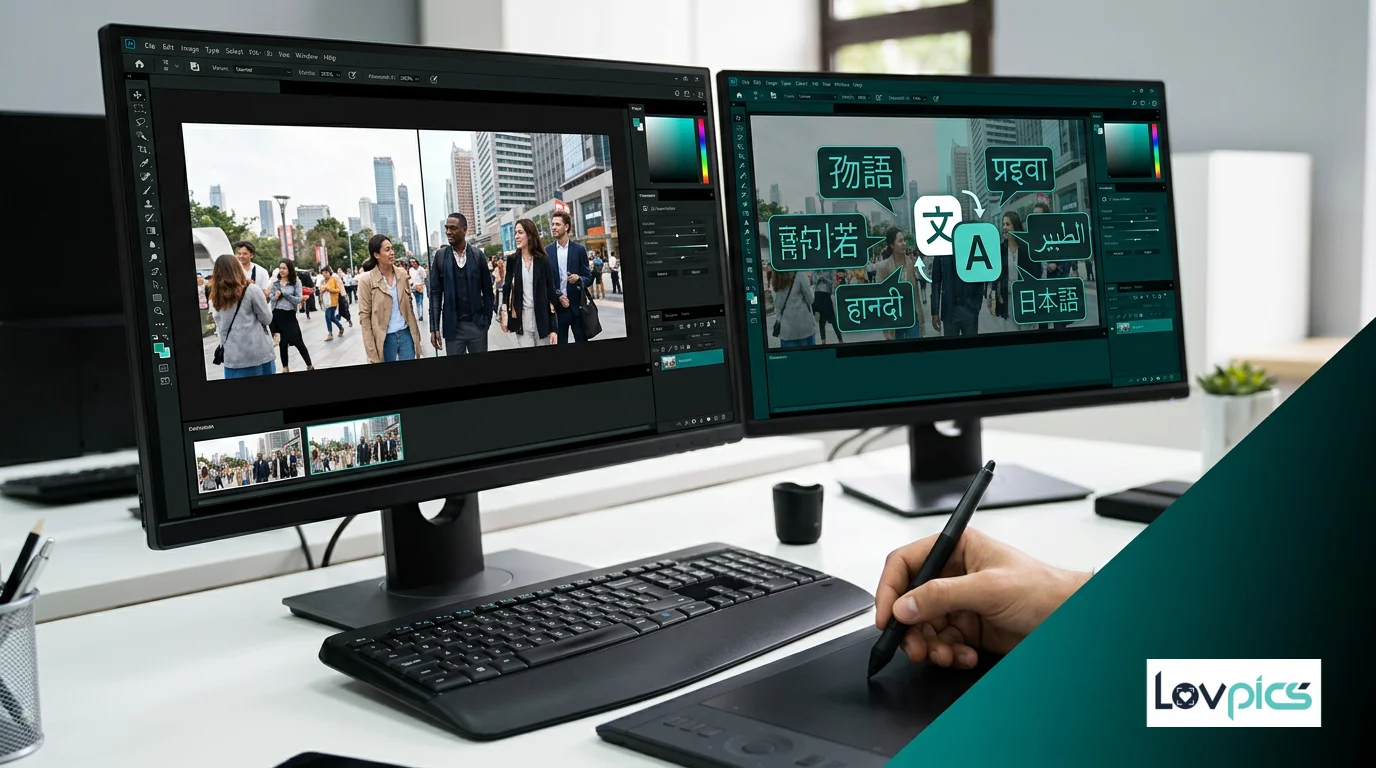
Images with text need localization too. When retouching images for global audiences, translating text shouldn't break layouts or compromise readability. Multi-language text support makes this seamless.
The Text Localization Challenge
Images containing text—product labels, promotional graphics, informational posters—require careful handling when localizing for different markets. Simply translating text often breaks layouts, ruins spacing, and compromises visual design. Different languages have different text lengths, character widths, and reading patterns.
Traditional approaches require manual redesign for each language, adjusting layouts, resizing text, and repositioning elements. This process is time-consuming, expensive, and often results in inconsistent designs across languages. There had to be a better way.
AI-Powered Text Localization
Multi-Language Text Support from LovPics uses AI to translate and adapt text in images while maintaining design integrity. The AI understands typography, spacing, and visual hierarchy, ensuring that translated text fits naturally within existing layouts.
The technology analyzes text length, character complexity, and reading patterns for each target language. It then adjusts font sizes, spacing, and positioning to maintain visual balance and readability. The result is images that look professionally designed in every language, not force-fitted translations.
How Text Localization Works
The process is straightforward. You select an image containing text, choose the multi-language text support feature, and specify target languages. The AI identifies text elements, translates them, and adjusts layout automatically to accommodate different text lengths.
For each language, the AI calculates optimal text sizing based on character count and complexity. It adjusts spacing to prevent text overflow while maintaining visual hierarchy. Contrast and readability are preserved, ensuring that localized images perform as well as originals.
Integration with Retouching Workflow
Multi-language text support works seamlessly with retouching tools. After using Single-Point Smart Retouch to fix image issues, apply text localization to handle multilingual content. Combine with AI Retouch for comprehensive editing workflows.
The tool integrates with Precision Image Editing for complex text adjustments and Smart Image Editing for comprehensive workflows. When exporting, use Bulk Image Export to download localized images efficiently.
Benefits for Global Brands
E-commerce brands use multi-language text support to localize product images for international markets. Product labels, descriptions, and promotional text are translated while maintaining visual consistency. This scalability enables global expansion without extensive design overhead.
Marketing teams create campaign images for different regions, translating text while preserving brand identity. Educational platforms localize course materials and informational graphics. The applications are diverse, but the benefit is consistent: global reach without redesign.
Typography and Readability
One of the most impressive aspects of AI-powered text localization is how it handles typography. Different languages require different font considerations. Some languages need more vertical space, others need wider character spacing. The AI accounts for these nuances automatically.
Readability remains paramount. The AI ensures text contrast meets accessibility standards across all languages. It prevents text from becoming too small or too cramped, maintaining the visual impact that drives engagement. This attention to detail separates AI localization from simple translation.
Use Cases Across Industries
Product manufacturers localize packaging images for different markets, translating labels and descriptions while maintaining brand consistency. Retailers create promotional graphics for international campaigns, adapting text without redesigning layouts.
Event organizers localize event graphics and informational materials. Healthcare providers translate medical information graphics. The scalability is remarkable—what once required multiple design iterations now happens instantly.
Best Practices
To maximize the value of multi-language text support, start with well-designed original images. Clear text hierarchy, readable fonts, and good contrast make localization easier. Avoid overly complex layouts that might not translate well to languages with different text characteristics.
Consider cultural differences beyond just language. Some visual elements might need adjustment for different markets. The AI handles text automatically, but you can refine visual elements using editing tools to ensure cultural appropriateness.
Conclusion
Multi-language text support represents a significant advancement in image localization. No longer do brands need to choose between global reach and design quality. AI makes it possible to maintain professional, readable images across all languages.
As content consumption becomes increasingly global, tools that enable seamless localization become essential. Multi-language text support removes a major barrier to international growth, allowing brands to reach new audiences without sacrificing visual quality. The future of global content is more accessible, more scalable, and more successful.
Frequently Asked Questions
Will translated text fit properly in images?
Yes, the AI automatically adjusts text size, spacing, and layout to ensure translated text fits naturally while maintaining readability and visual balance.
Can I edit localized text after translation?
Absolutely. All text remains editable, allowing you to refine translations or make adjustments to match your exact requirements.
Are fonts consistent across different languages?
Yes, typography adapts intelligently while staying brand-aligned. The AI selects appropriate fonts and sizing for each language while maintaining visual consistency.
Is this suitable for product images?
Absolutely. Multi-language text support is ideal for product labels, descriptions, and promotional graphics that need localization.
Can I localize multiple text elements in one image?
Yes, the tool handles multiple text elements simultaneously, translating and adjusting all text while maintaining overall design integrity.
How do I export localized images?
Use Bulk Image Export to download all localized images simultaneously, organized by language for easy management.
Reach global audiences with localized images
Translate text in images across languages while preserving design quality.